

Article: The Ultimate Triple Screen Laptop for Productivity
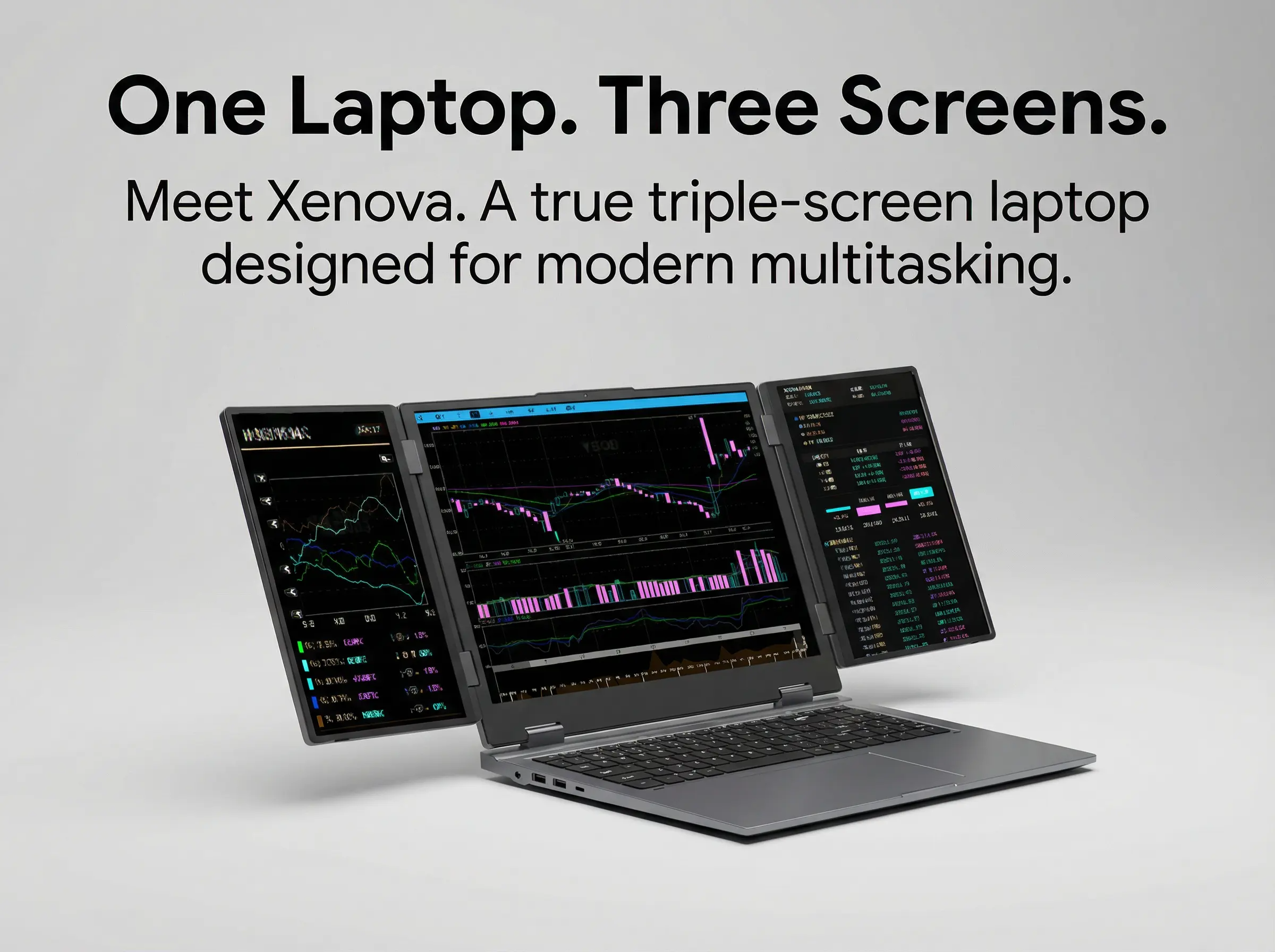
The Ultimate Triple Screen Laptop for Productivity
Why the Way We Work Has Changed — but Our Devices Haven’t
Modern work no longer happens in a straight line.
Developers code while referencing documentation and monitoring logs.
Designers iterate while reviewing assets and collaborating live.
Traders analyze multiple markets simultaneously.
Healthcare professionals review records, vitals, and imaging at once.
Executives juggle dashboards, communication, and strategy in real time.
Yet despite how multidimensional modern workflows have become, most laptops still force everything into one screen.
That mismatch is the root cause of modern productivity friction.
The future of work isn’t about working harder or longer — it’s about removing unnecessary limits. And one of the most persistent limits has been screen real estate.
This is where the triple-screen laptop emerges not as a novelty, but as a necessary evolution.
The Hidden Cost of Single-Screen Computing
For decades, we’ve normalized a workaround-heavy way of working:
• Alt-tabbing between applications
• Minimizing and restoring windows
• Losing visual context mid-task
• Breaking focus dozens of times per hour
These micro-interruptions don’t feel dramatic — but over time, they compound into measurable productivity loss.
Context Switching Is the Silent Productivity Killer
Studies consistently show that context switching increases:
• Cognitive load
• Task completion time
• Error rates
• Mental fatigue
Each time you switch windows, your brain has to re-establish context. Multiply that by hundreds of switches per day, and the cost becomes significant.
External monitors helped — but only when you’re at a desk.
The moment work becomes mobile, those advantages disappear.
Until now.
What Is a Triple Screen Laptop — Really?
The term “triple screen laptop” is often misused.
To be clear, a true triple screen laptop must meet all of the following criteria:
• Three fully functional displays
• Integrated into the laptop chassis
• No external cables or accessories
• Single computing system
• Designed for daily, long-term use
Many products claim multi-screen functionality, but fall short in practice:
• Clip-on monitors
• Magnetic side displays
• Tablet companions
• Dock-dependent setups
These are add-ons, not integrated solutions.
A true triple screen laptop is designed as one unified system, not a base laptop with extras attached.
Why Triple Screens Change Productivity — Not Just Appearance
The advantage of three screens isn’t about novelty. It’s about parallel thinking.
With three displays, workflows become spatial instead of sequential.
Instead of switching, you assign:
• Center screen → primary task
• Left screen → reference or inputs
• Right screen → outputs, monitoring, or communication
Your brain processes information more naturally when tasks remain visible and anchored in space.
This mirrors how professionals already work on desktop multi-monitor setups — but now in a portable form factor.
Real-World Productivity Workflows (Across Industries)
Developers & Engineers
• IDE on the center screen
• Terminal and logs on the left
• Documentation or architecture diagrams on the right
No more collapsing windows or losing focus mid-debug.
Designers & Creators
• Canvas in the center
• Timeline or layers on one side
• Assets, references, or feedback on the other
Creative flow stays uninterrupted.
Financial Professionals
• Multiple live dashboards visible simultaneously
• Charts, order books, and analytics side-by-side
• Faster reaction times with less mental strain
Healthcare & Emergency Services
• Patient records, vitals, and imaging visible at once
• Reduced errors caused by window switching
• Better situational awareness in time-critical environments
Executives & Founders
• Strategy docs, communication tools, and metrics always visible
• Faster decision-making
• Less digital clutter
Why External Monitors Are No Longer the Answer
External monitors solved one problem — but created others:
• Lack of portability
• Cable dependence
• Desk-bound workflows
• Setup and teardown time
Modern professionals move constantly:
• Office → home
• Desk → meeting room
• HQ → field
• Country → country
Productivity tools must move with them.
The next step isn’t more monitors — it’s integrated mobility.
Enter XENOVA PRISM: A New Category of Laptop
XENOVA PRISM wasn’t created by asking,
“How do we add more screens to a laptop?”
It was created by asking,
“How should a laptop work if we redesigned it around modern workflows?”
The result is a fully integrated triple-screen laptop, built from the ground up to support how professionals actually work.
What Makes XENOVA PRISM Different
• Three integrated displays — not attachments
• Structural hinge system designed for daily use
• Physical keyboard and trackpad remain intact
• No external power or accessories required
• Designed for manufacturing, not demos
PRISM isn’t layered onto a laptop.
It is the laptop.
Designed for Real Work — Not Trade Show Concepts
Many brands showcase multi-screen concepts that never ship.
Why?
Because turning a concept into a reliable, mass-produced device is hard.
XENOVA took a different path:
• Manufacturing-first design decisions
• Thermal and power systems engineered for three screens
• Structural tolerances tested for daily folding
• Firmware, BIOS, and OS behaviour tuned for multi-display workflows
This is what makes PRISM production-ready — not theoretical.
Productivity Is Also About Reliability
A productivity device must disappear into the background.
That means:
• Stable hinges
• Consistent alignment
• Predictable performance
• Long-session comfort
XENOVA PRISM is designed to be used all day, every day — not just shown once.
Portability Without Compromise
Traditional thinking suggests more screens mean more bulk.
XENOVA challenges that assumption.
By integrating displays into the chassis rather than attaching them externally, PRISM maintains:
• Balanced weight distribution
• Compact folded footprint
• Single-device portability
It replaces:
• Laptops + monitors
• Laptops + docks
• Laptops + tablets
With one unified tool.
Productivity Isn’t About Doing More — It’s About Doing Better
Triple screens don’t make you faster by pushing you harder.
They make you faster by removing friction.
• Less switching
• Fewer interruptions
• Clearer mental models
• More sustained focus
That’s the real productivity gain.
Why Triple-Screen Laptops Are Becoming the New Standard
Several macro trends are converging:
• Remote and hybrid work is permanent
• Knowledge work is increasingly visual
• AI tools require persistent interfaces
• Professionals expect desktop-level capability on the go
Single-screen devices are becoming the bottleneck.
Triple-screen laptops aren’t replacing laptops — they’re replacing limitations.
Why XENOVA PRISM Leads This Shift
Being first matters — not for bragging rights, but for execution.
XENOVA’s advantage comes from:
• Early manufacturing experience
• Real-world usage data
• Control over mechanical, electrical, and software layers
• Time to refine reliability before competitors react
Others may follow — but they will be responding to a standard PRISM already set.
Choosing a Triple Screen Laptop Is a Strategic Decision
This isn’t about buying a gadget.
It’s about choosing a workflow.
• Do you want tools that force adaptation?
• Or tools that adapt to you?
Triple-screen computing isn’t a trend — it’s an alignment between how people think and how devices support that thinking.
The Ultimate Productivity Upgrade Isn’t Software — It’s Space
You can optimize apps endlessly.
But if your screen space is limited, you’re still constrained.
Triple screens expand visual bandwidth — the most underappreciated productivity factor.
Once experienced, it’s hard to go back.
Final Thought: Productivity Without Compromise
The ultimate productivity device isn’t defined by specs alone.
It’s defined by how naturally it fits into your workflow.
XENOVA PRISM exists because modern professionals deserve tools that work with them, not against them.
It doesn’t ask you to change how you work.
It finally lets you work the way you already do — without limits.


Leave a comment
This site is protected by hCaptcha and the hCaptcha Privacy Policy and Terms of Service apply.